Treatment plans patients actually accept
A plan scribbled on paper closes nothing. DentClosers turns the consultation into a priced, branded, multi-option plan page the patient can read, share, and accept — in their own language.
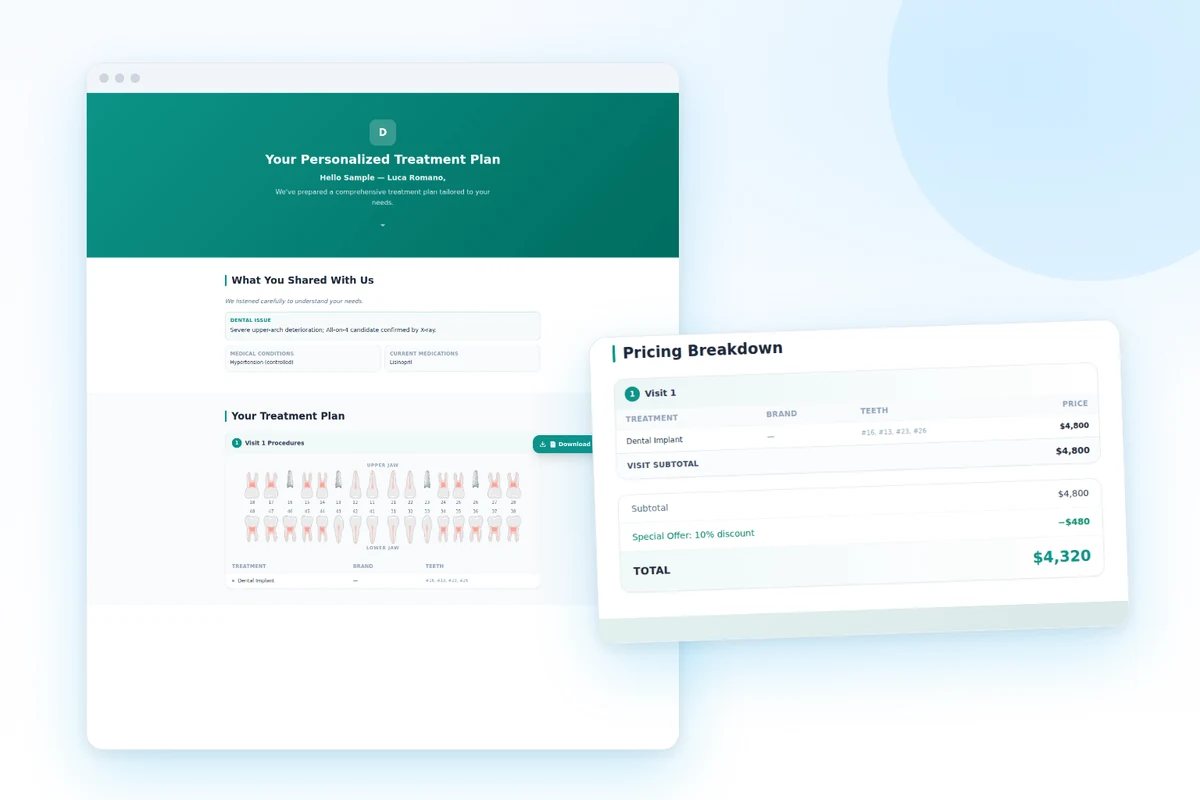
Sound familiar?
The patient shows a blurry printout to their family, questions come by phone, and nobody knows if the plan was even opened.
Patients don't want a verdict, they want a choice. A single take-it-or-leave-it number invites 'let me think about it'.
Prices depend on who's in the room. Inconsistent quotes cost trust — and margin.
This is what your team
works in every day.
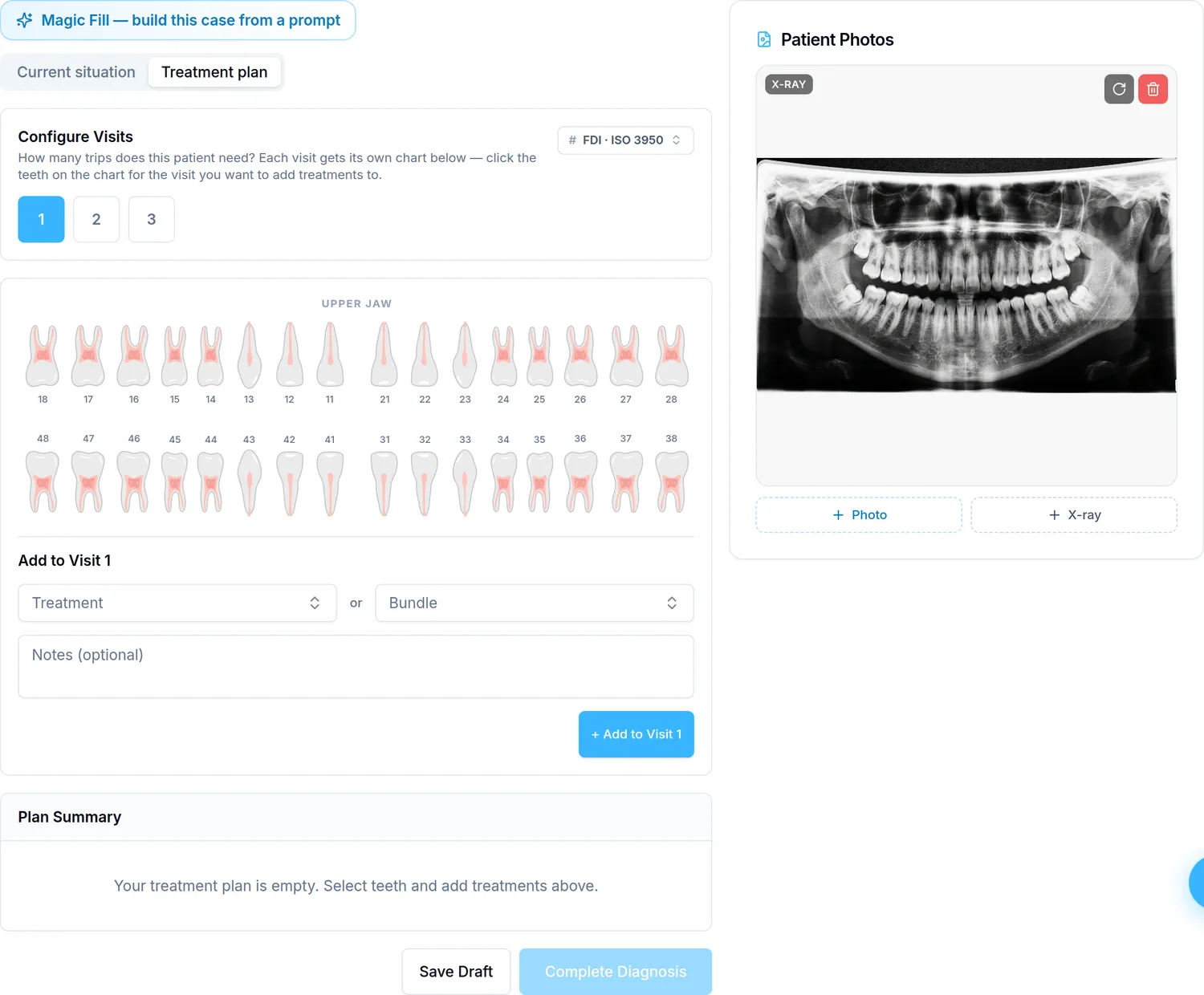
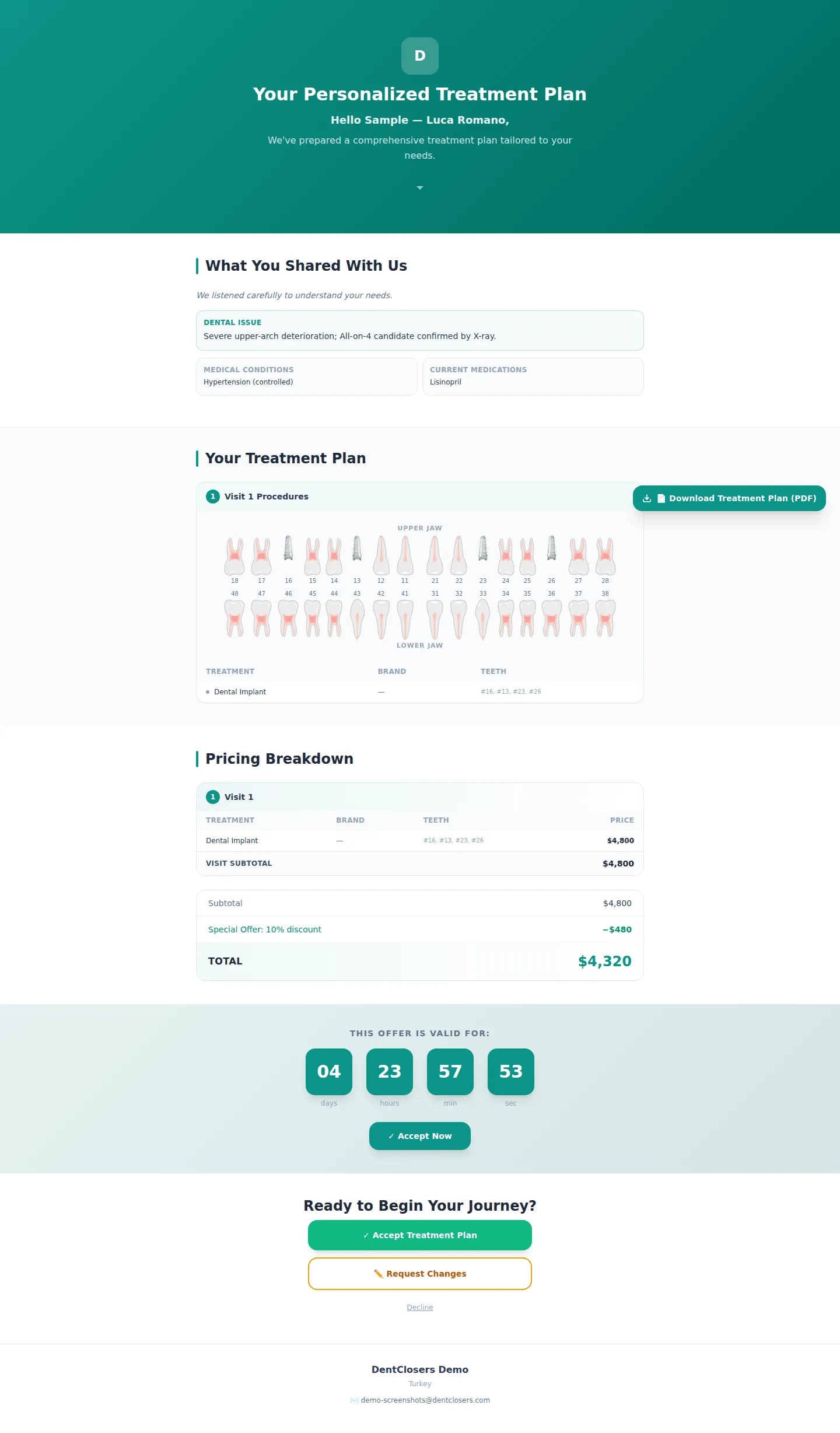
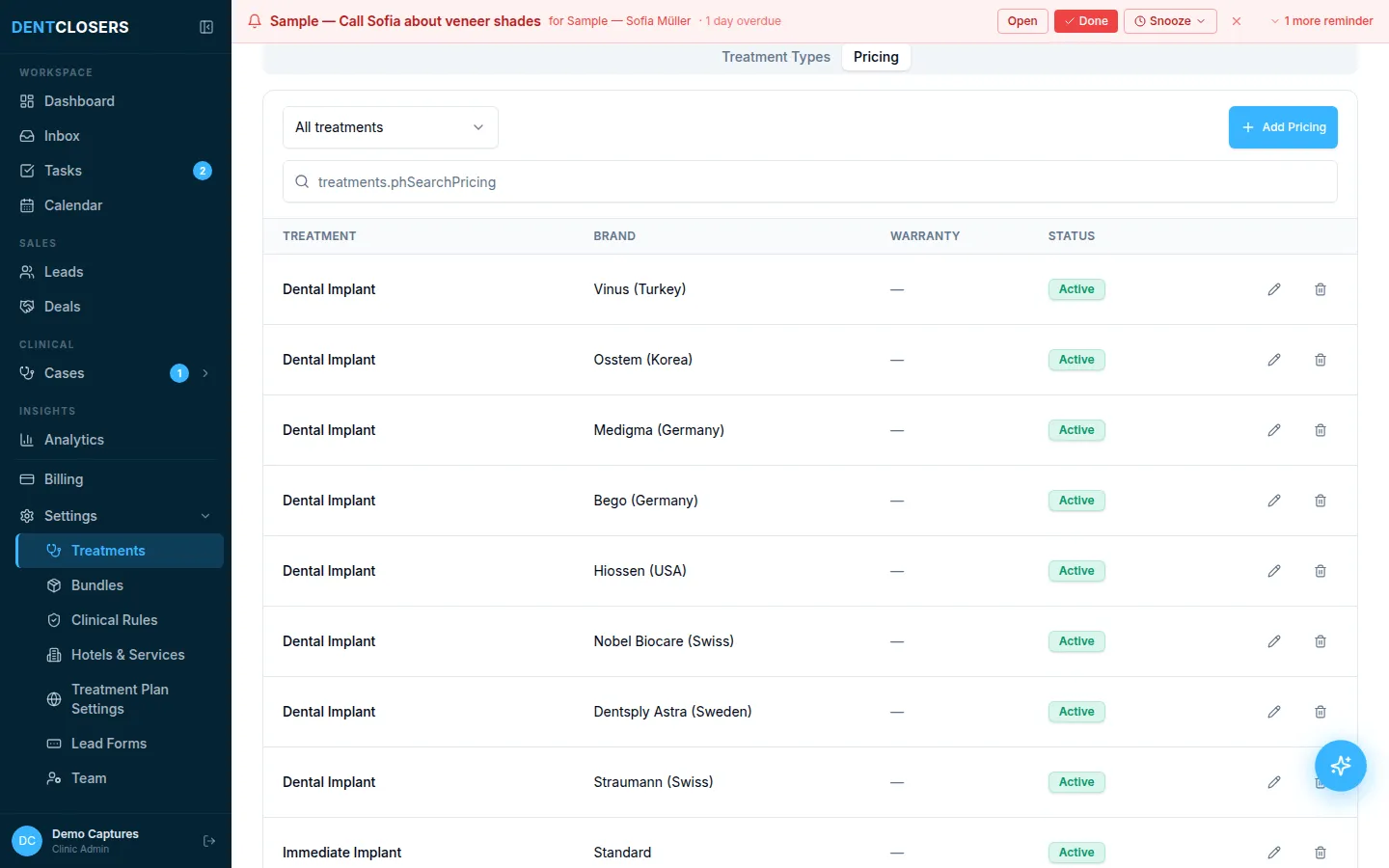
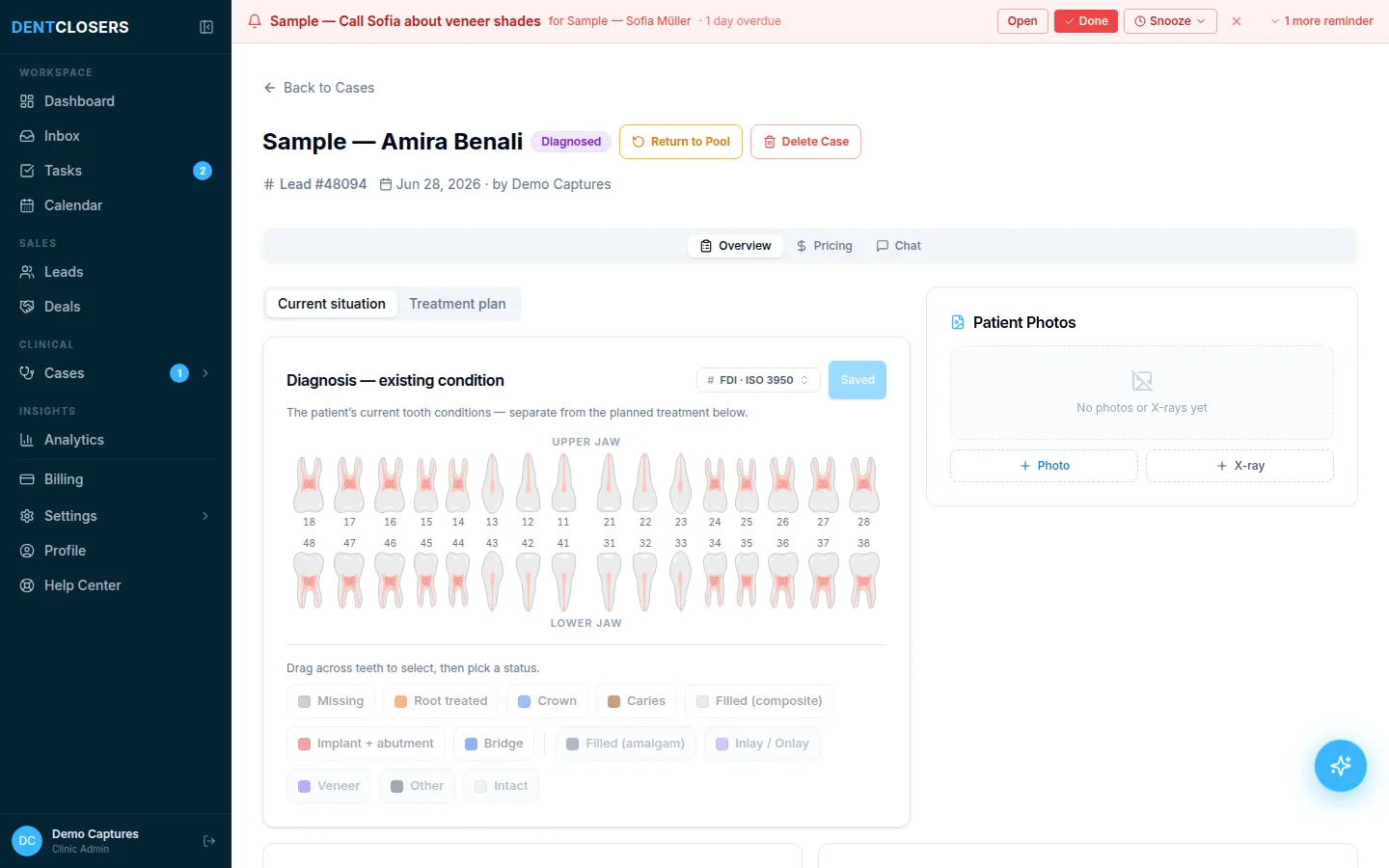
Diagnose on a real odontogram. Interactive tooth chart in FDI or Universal numbering, with diagnosis separated from treatment — click the tooth, pick the condition, the plan builds itself.
Real, untouched product screenshots — shown in your language.
What DentClosers does about it
AI does the busywork
Magic Fill drafts the treatment plan from your diagnosis using clinic rules — brands, materials, bundle pricing — and you review every line before it's saved.
Multiple options, honest comparison
Standard vs Premium side by side, with per-brand pricing and a savings comparison — patients choose an option instead of debating a number.
What dental treatment plan software does
Treatment plan software turns the dentist's diagnosis into a document the patient can understand, compare and say yes to. Good software does three things: it builds the plan from the tooth chart instead of free text, it prices every option consistently from your catalog, and it presents the plan in a way the patient can read at home, share with family and accept without another phone call.
Most practice management systems include a treatment plan module for sequencing clinical work and estimating insurance. DentClosers focuses on the other half: presenting the plan and getting it accepted.
How it works
1. Diagnose: click each tooth on the odontogram (FDI or Universal numbering) and record its condition. Diagnosis stays separate from treatment.
2. Build options: on Professional, Magic Fill drafts the plan from the diagnosis using your clinic's rules, brands and bundle prices. You review every line and add a second option, such as Standard and Premium.
3. Send: the patient gets a personal link by WhatsApp or email to a branded plan page in their language, with the tooth chart, options, prices, visits and your before/after gallery.
4. Accept: the patient accepts or declines online, and the status flows back to the pipeline so your coordinator follows up on plans that stalled.
What makes patients accept a treatment plan
Patients accept plans they understand and can compare. Offer two or three options instead of a single price, show what is included (visits, materials, guarantees), make the plan easy to open on a phone, and follow up within days, not weeks. Our guide on how to increase case acceptance covers the tactics in detail.
Frequently asked questions
Does it support FDI and Universal tooth numbering?
Both — the odontogram renders in either system and patient-facing pages show numbers in the patient's convention.
Can a plan include several options with different prices?
Yes — multi-option plans (e.g., Standard / Premium) with per-brand, per-material pricing are the default, including bundle pricing for full-mouth cases.
How does the patient receive the plan?
As a personal link — sent by email or straight into the WhatsApp thread — opening a branded plan page in the patient's language, with online accept/decline. A print-ready version exists for clinics that want paper.
Is this a clinical records system?
No. It documents the diagnosis needed to sell the plan; your clinical charting system stays the medical record.
Can we use it next to Dentrix or another practice management system?
Yes. DentClosers is where you build and present the plan and follow up until the patient accepts; your practice management system keeps the clinical record, scheduling and billing. Many clinics run both side by side.
How much does it cost?
Treatment plans are included in every DentClosers plan: Standard $59 per user per month ($49 billed yearly) and Professional $79 ($65 billed yearly). Free trial, no credit card.
Related reading
We use analytics cookies to improve this site. Cookie Policy